DawgCTF - Data Needs Splitting Write-up
I loved this question and wanted to make a write-up, from queryig TXT Records to Reverse Engineering .jar file
In this blog I will be sharing my insights and solution about the problem “Data Needs Splitting” from DawgCTF that I’ve attended a few days ago with my team.
The problem statement

As you can see we are given a domain called data-needs-splitting.umbccd.net, but as the problem stating that “However you need to find it first” we directly understood that this domain actually doesn’t give us any response when we send a GET request to it.
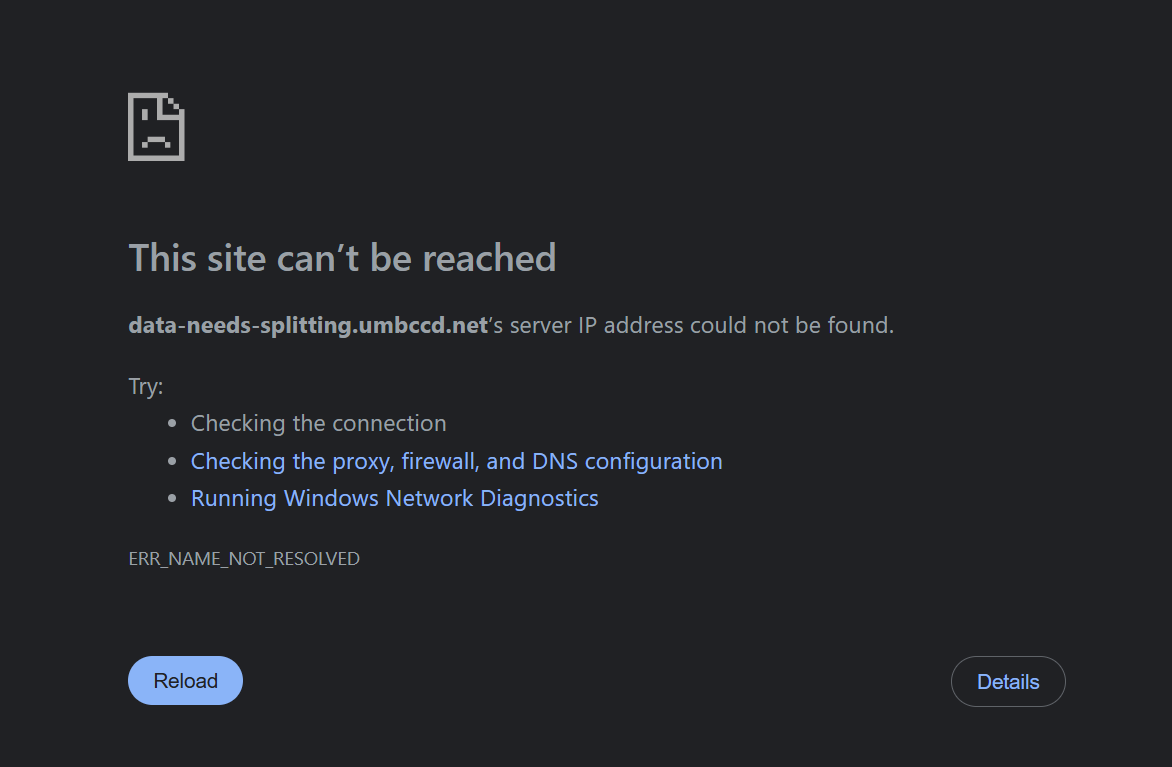
As you can see this is the challenge author’s trap, there is actually no web server running at this domain, instead we need to exfiltrate the DNS Records.
So, the file is not current at the web server but it’s directly embedded mathematically into the DNS Records, what a beautiful challenge!
Let’s query the TXT Records and see what we get.
We’ll use the classic DNS Lookup Utility tool called dig to get the TXT records right out of domain with the code below:
>> dig TXT data-needs-splitting.umbccd.net +short
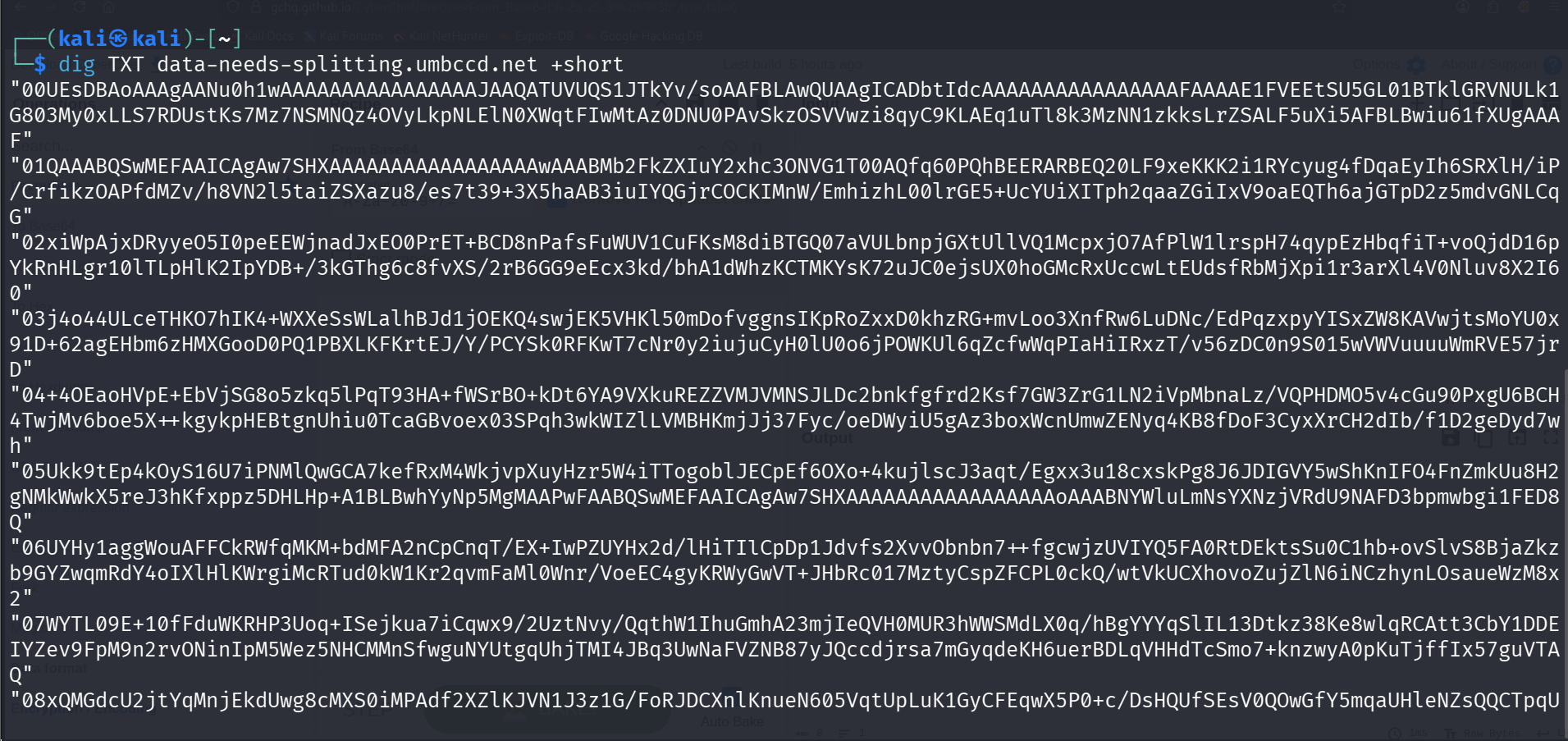
Boom, now that we’ve successfully extracted the exact TXT records! We’ve successfully bypassed the trap and dumped the hidden data.
The challenge author broke the program into 17 distinct chunks, indexed from 00 to 16, and encoded them in Base64.
When we check carefully the chunk that starts with 00UEsDB, that’s actually not a random string. In the reverse engineering world UEsDB stands for the undisputed Base64 signature for a ZIP archive (the raw hex file header is PK\x03\x04).
So we are dealing with a ZIP archive here.
Also if we try to decode it using CyberChef we will actually see something different is going on here:
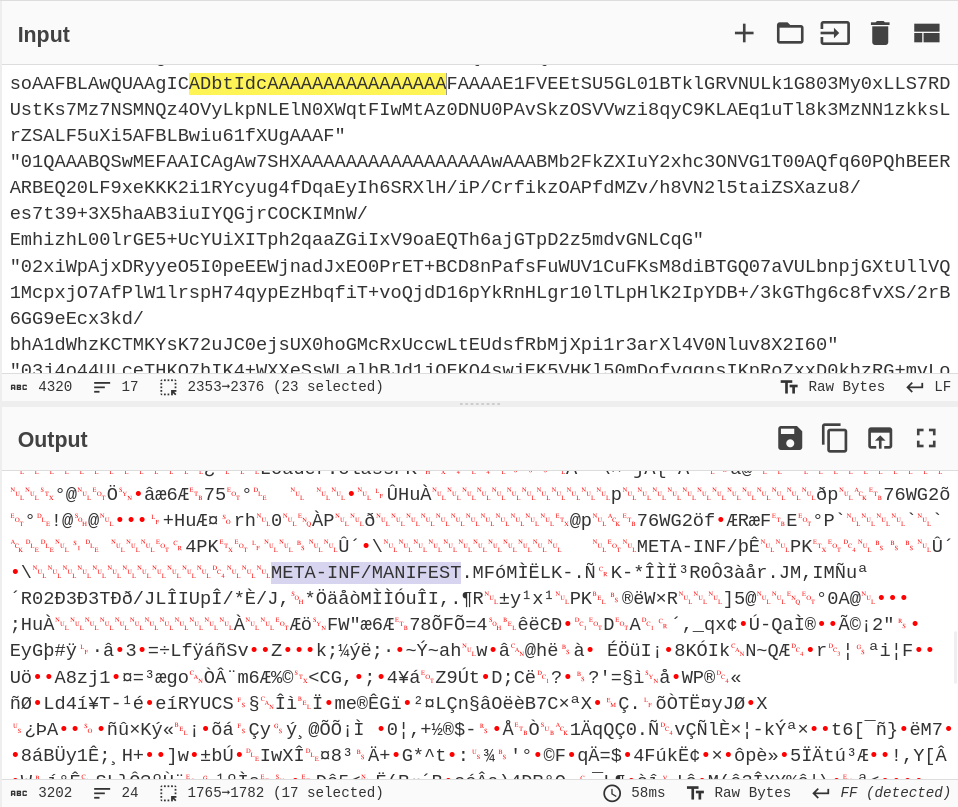
We can see that there is META-INF/MANIFEST string appear, this means we have a .jar file over here which stands for Java Archive.
To rebuild the executable, we need to strip the quotes, remove the two-digit index numbers, stack them in the correct order, and decode the massive Base64 string.
Let’s save all the lines to the .txt file called dns_dump.txt, and run this exact one-liner in our terminal:
cat dns_dump.txt | tr -d '"\r' | sort | cut -c 3- | base64 -d > challenge.jar
- tr -d ‘"\r’: Strips out the quotation marks and any hidden Windows carriage returns.
- sort: Ensures the lines are stacked in perfect sequential order from 00 to 16.
- cut -c 3-: Slices off the two-digit index numbers from the front of every line.
- base64 -d: Decodes the clean, unified string into the raw binary file.
Now that we successfully completed this stage of challenge and reassembled our .jar as seen below:
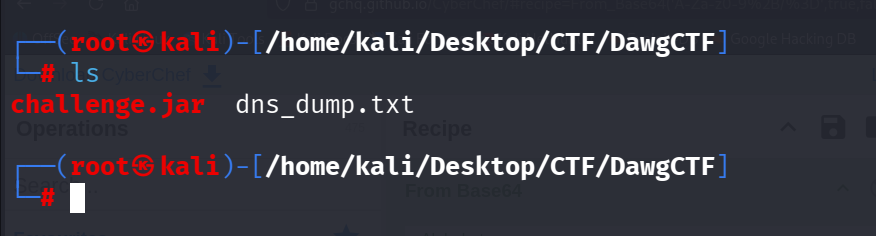
If we open the .jar by using java -jar challenge.jar:

It asks us to enter the flag, since we have no flag we need to understand the logic by reverse engineering the .jar file by doing static analysis.
Static Analysis
To statically analyze and reverse engineer this .jar file that we reassembled, we need a tool called Recaf, let’s open the .jar file using the tool.
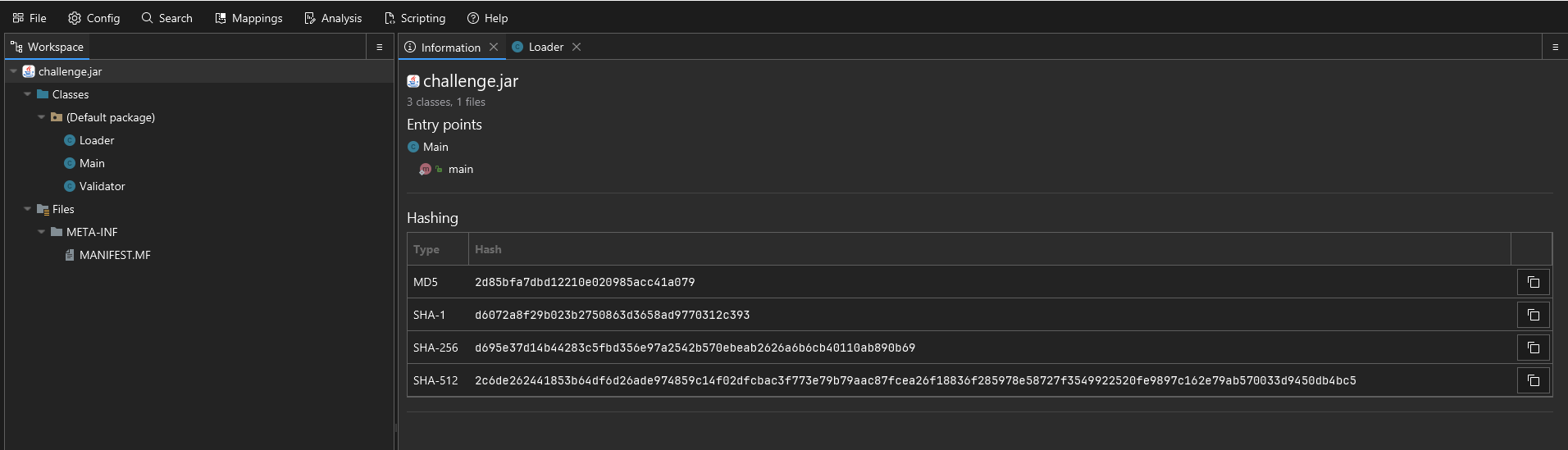
| TYPE | HASH |
|---|---|
| MD5 | 2d85bfa7dbd12210e020985acc41a079 |
| SHA-1 | d6072a8f29b023b2750863d3658ad9770312c393 |
| SHA-256 | d695e37d14b44283c5fbd356e97a2542b570ebeab2626a6b6cb40110ab890b69 |
Now we’ve got our executable file into the disassembler, we can look at the Java code and inspect what the questions asks us here.
First of all, as you can see we got the META-INF/MANIFEST file as we’ve seen at the beginning of the challenge, but they’re useless since we are searching for the flag.
There is three loaded Classes at the left pane. Loader, Main and Validator.
Loader Class
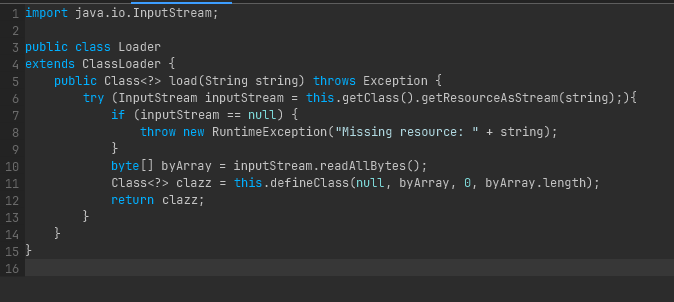
This class extends ClassLoader to act as a custom resource unpacker. Instead of loading Java classes the standard way, it is designed to read raw bytes from a hidden file named "/assets/file.dat". Once it pulls those bytes into an array using readAllBytes(), it uses the defineClass() method to reconstruct that byte array back into a functional, executable Java class directly in memory.
Main Class
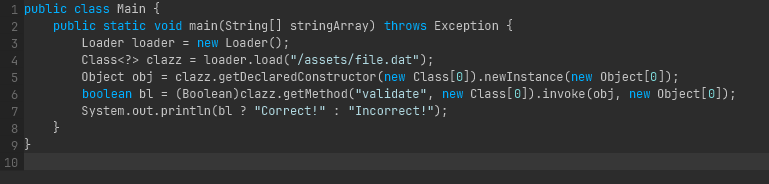
This is the staging wrapper and the entry point of the application. It instantiates the custom Loader class to unpack the hidden payload. Because the compiler had no idea this hidden class existed when Main.java was compiled, the file relies entirely on Java Reflection. It dynamically creates an instance of the newly loaded class (.newInstance()) and forcefully executes its target method named validate using .invoke(). It then captures the boolean result to print either “Correct!” or “Incorrect!”.
Validator Class
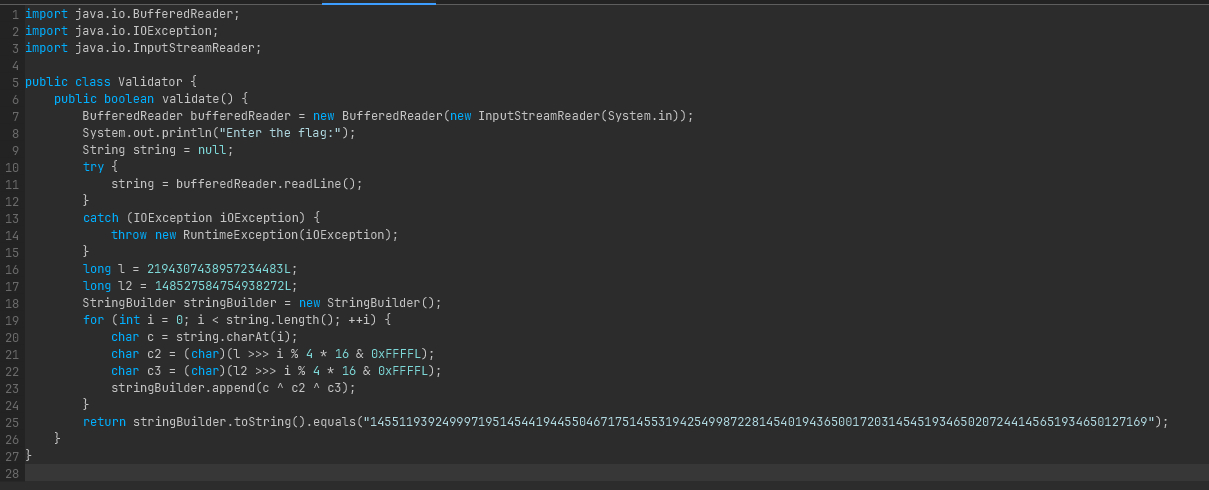
This is the decompiled content of the hidden file.dat payload, containing the core CTF flag checking logic:
It reads the user’s inputted flag via standard input.
It initializes two 64-bit long integers (l and l2) to act as cryptographic keys.
It iterates through the user’s input character by character. For each character, it manipulates the keys using a bitwise right-shift (»>) based on the character’s index (i % 4 * 16), applies a bitmask (& 0xFFFFL), and casts the result to a char.
It applies an XOR cipher (c ^ c2 ^ c3) between the user’s input character and the two derived key characters.
The trick: Because the bitwise XOR operation promotes the char variables to int, the StringBuilder.append() method converts those mathematical integers into their literal string representations (e.g., the integer 1455 simply becomes the string “1455”).
Finally, it compares the resulting massive concatenated string against a hardcoded target hash: “145511939249997195…etc”.
solution.py
After we’ve understood the purpose and encryption behind the .jar executable, we can write a little script that matches with hard-coded string every time.
target = "145511939249997195145441944550467175145531942549987228145401943650017203145451934650207244145651934650127169"
l = 2194307438957234483
l2 = 148527584754938272

# Precalculate the 4 repeating XOR keys
keys = []
for i in range(4):
    c2 = (l >> (i * 16)) & 0xFFFF
    c3 = (l2 >> (i * 16)) & 0xFFFF
    keys.append(c2 ^ c3)

flag = ""
idx = 0
i = 0

# Greedily match ASCII characters against the target string
while idx < len(target):
    k = keys[i % 4]
    match_found = False

    # Test all standard printable characters
    for char_val in range(32, 127):
        res_str = str(char_val ^ k)

        # If the resulting number matches the next chunk of the target string
        if target.startswith(res_str, idx):
            flag += chr(char_val)
            idx += len(res_str)
            i += 1
            match_found = True
            break

    if not match_found:
        print(f"Failed to find match at index {idx}")
        break

print("Flag:", flag)
Let’s execute it and see what we got here:

BOOM!, we’ve finally achieved the flag DawgCTF{J@v@_My_B3l0v3d}.
Summary
This challenge combined multiple techniques:
- DNS reconnaissance to extract encoded data
- Archive unpacking (Base64 and ZIP handling)
- Java reflection and class loading manipulation
- Cryptanalysis to reverse the XOR cipher
A great blend of CTF challenges in one problem!